
Best Cable Modems are your solution to lagging internet and endless choices. If you’re eager to boost your connection speed and reliability, our guide offers clear, expert recommendations with straightforward cable modem reviews and high-speed router insights. Imagine the thrill of seamless streaming and faster downloads, all in one smart choice. Read on to uncover the perfect device that will supercharge your online experience and help you regain control over your digital life.
Top 5 Cable Modems:
1. Motorola MB8611 – Best Cable Modem Overall

For those seeking a great cable modem to upgrade their internet, the Motorola MB8611 is a topnotch option—especially for mesh WiFi firmwares and multi-gig routers. Unique to the MB8611 is Advanced Queuing Management (AQM), a feature that significantly reduces gaming and streaming latency. Alright, maybe it does not bring much more to the table than its predecessor (the MB8600) but as we have said, that 2.5 Gbps Ethernet port is rather a useful upgrade. The DOCSIS 3.1 modem is able to reach higher speeds, up to 2.5 Gbps theoretically. I tested it with the Xfinity 1.2 Gbps plan, as well as a Deco XE75 Pro mesh router, and encountered impressive results — on five video streams at once, download speeds went up to about 1012 Mbps while the upload averaged around 76 Mbps; which is more than enough for continuous gaming and streaming.
Even at a 40-foot distance from the unit, I was hitting speeds of 842 Mbps down and 52 Mbps up and experienced no lag or stuttering during our test. A single Ethernet port can be a huge limiting factor since it prevents direct connections for multiple devices, but the easy solution comes in Link Aggregation, and given how quick and responsive this NAS is, speeds are lighting fast — both when gaming or with video conferencing.
In terms of design, solid-feeling construction is accompanied by five useful status lights although they are a tad bright during the night. The MB8611 has a powerful Broadcom processor, which means the device was developed to manage even the worst network congestion. For all the high speed internet demands a user may need from gaming to video conferences, this modem works great.
2. Arris S33 – Best Value Cable Modem

If your Internet Service Provider (ISP) allows you to purchase your own modem, take a look at the Arris SURFboard S33, which is currently one of the most excellent DOCSIS 3. Thanks to its excellent 2.5 Gigabit Ethernet (GbE) port and low cost compared with competitors, the S33 is our pick for anyone who’s got a budget-friendly plan or cutting-edge 2-gigabit service but still wants gigabit speeds. You could always try it out if you currently subscribe to a company who provided you with a modem or modem-router combo at no extra cost — like Morpheus. That is great news if it covers your requirements with no investment necessary! If you find it does not stack up to the mark, this guide is here to steer you in the right direction for more comparable alternatives.
On one-time nature: owning modem can be a big money saver over time. They are a popular choice but not the best one for two main reasons: Modem and router technologies evolve at different rates. Even as your modem lasts years longer, the combined router may not. However, if you decide to buy your modem, you may also need a Wi-Fi wireless router. Not only is our top pick for a router down to a new low price If the modem is cared for properly, you can usually get 5 to 10 years out of it, while a router might need to be replaced closer to every 3 to 5. Improve your online experience, be educated!
3. Hitron CODA DOCSIS 3.1 – Best Cable Modem for Mesh Wi-Fi

Hint: your internet experience is about to change for the better with the Hitron CODA DOCSIS 3.1 modem! Mesh Wi-Fi, This tool is ideal for a mesh wi-fi setup to make sure your connection will continue to be quickly and solid. Stream, conference, or game with ease with up to 1 Gbps plan support. It has a 2 downstream / 2 upstream OFDM channel means for quality particularly in reducing frequencies which can constraints high speeds and lowering latency times your game performance.
Setting it up to work in conjunction with your own Wi-Fi router is super easy and done within minutes. Appreciate the comfort of withdrawing from those irksome monthly fees or stop squandering money on things you can claim yourself! The fact that it’s officially compatible with all the major ISPs (Comcast Xfinity, Charter Spectrum, etc.) is very reassuring that this will work for your service.
Performance: in this regard, the sheer experience level of Hitron shows, with solid performance and reliability. It only takes moments to set up—connect the coax cable and power, then tie it to your Wi-Fi network. Although that should not be much of a factor as there is no built-in Wi-Fi router for those who are looking for an all in one device. It is a flexible option designed for the ideal home networking scenario apart from that nit-picky point. The speed is the most prominent feature in this modem, it has been rated as the fastest when multiple devices are used to connect. Do not wait — try this amazing device now and make your internet experience better.
4. Motorola MB7420 – Best Affordable Cable Modem
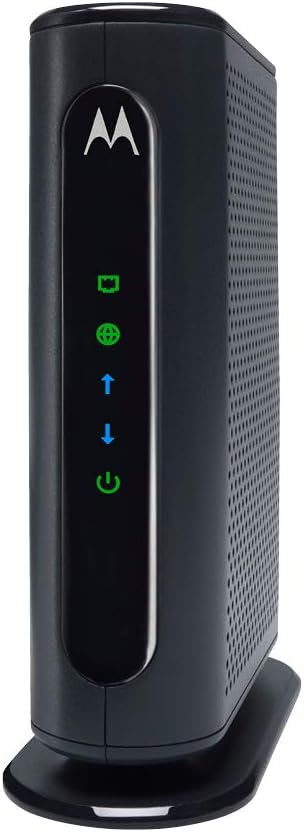
Get ready to move away from the old tired modem, because this amazing 16×4 DOCSIS 3.0 cable modem will provide you with speeds of up to 686 Mbps. This is sixteen times the speed of its DOCSIS 2.0 predecessors. Farewell to slow internet and hello to seamless streaming and gaming online. The Full-Band Capture digital tuner is the headline addition to this modem. It leads to a more stable connection and increases reliability. Easily connect a computer, HDTV, or game station through the Ethernet port. This design does not include a built-in wireless router, but is how they are able to deliver performance well above what I could get out of it with the standard AT&T gateways.
Getting started is a breeze. A concise Quick Start Guide makes installation simple enough for beginners And, in case any issue occurs they provide customer-support based right here in the USA! Most rivals, such as the MG7310 or MG7540, are a mix of modem and router features. However, picking up the MB7420 shifts the option to choosing your ideal router which can be a great move if you have specific network needs. One slight con is the lack of built-in wireless. While this could be a limiting factor for some, it allows the freedom of choice to those who prefer their own wireless systems.
5. Netgear CM500 – Best Budget Cable Modem
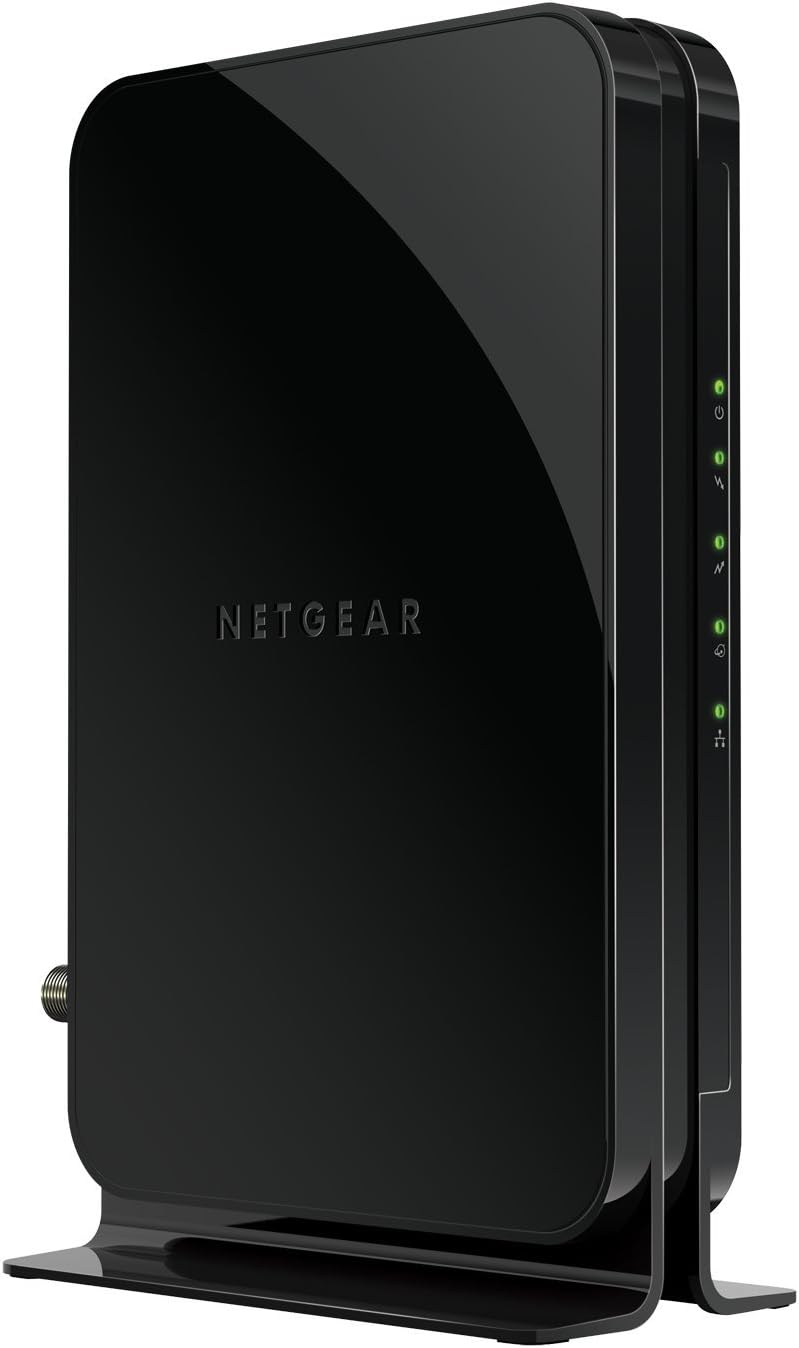
The Motorola MS7420 usually costs less for most consumers than the Netgear CM500, and it is a cable, but still highly rated, modem. Grab one at a discount relative to everything else and you are money. A dependable, widely compatible modem that works with most cable providers and offers speeds as fast as 300 Mbps—fast enough for just about anyone. The CM500 has plenty of online speed for watching movies, video chatting, or gaming.
Several cable modems work the same, but the CM500 is relatively simple to set up, broadly upheld by numerous ISPs and proves pretty swole. Its 7.3-inch height — slightly taller than some competitors — may make its visual and audible indicator lights difficult to see in daylight. Spectrum will get you speeds up to 400 Mbps, Xfinity comes in around 200 Mbps and Cox about 150Mbps. Like most NETGEAR devices, the CM500 comes equipped with one Gigabit Ethernet port for fast direct connections to any WiFi router, so you can have seamless coverage of your home without having to worry about spotty signals.
Cable Modems Buying Guide:
When it comes to getting reliable internet, the little box that often goes unnoticed—your cable modem—plays a huge role. Many people just use the modem provided by their internet service provider (ISP), but buying your own can save you money and often give you better performance. If you’re considering picking up your own cable modem, this guide will walk you through everything you need to know before making the purchase.
Why Buy Your Own Cable Modem?
-
Save Money on Rental Fees
ISPs typically charge a monthly rental fee for their modem (anywhere from $5 to $15). Over the course of a year or two, those fees can easily add up to more than the cost of buying your own modem outright. -
Better Performance
Many ISP-provided modems are basic models. By buying your own, you can choose one that offers faster speeds, more reliable connections, and compatibility with the latest standards. -
More Control
Owning your modem means you’re not locked into the hardware your ISP decides to give you. You can upgrade when you want, troubleshoot more easily, and sometimes even get better firmware updates.
Key Things to Consider
1. Compatibility with Your ISP
The most important factor is whether the modem works with your internet provider. Not all modems are supported by all ISPs. Before you buy, check your provider’s list of approved devices (usually available on their website).
2. Internet Speed Tiers
Your modem should be able to handle the internet speed you’re paying for. If you subscribe to a 500 Mbps plan, you’ll need a modem that can actually deliver that speed. Overbuying isn’t always necessary (you don’t need a gigabit-capable modem if your plan tops out at 100 Mbps), but a little future-proofing can help.
3. DOCSIS Standard
Cable modems use a standard called DOCSIS (Data Over Cable Service Interface Specification). There are two main versions you’ll encounter:
-
DOCSIS 3.0: Still widely used, supports speeds up to around 1 Gbps. Usually cheaper.
-
DOCSIS 3.1: The newer standard, supports multi-gigabit speeds, lower latency, and better performance overall. If you plan on keeping your modem for many years or have gigabit internet, DOCSIS 3.1 is worth it.
4. Channel Bonding
Modems use channels to send and receive data. The more channels, the better the performance during peak usage times. For example:
-
8×4 channels: Good for lower-tier plans (up to around 100 Mbps).
-
16×4 channels: Suitable for mid-tier plans.
-
24×8 or 32×8 channels: Great for higher-speed plans.
5. Standalone Modem vs. Modem-Router Combo
-
Standalone modem: Connects directly to your router. Best choice if you already own a good router or want flexibility to upgrade your router separately.
-
Modem-router combo: Combines both devices into one box. Convenient and saves space, but less flexible if you want to upgrade just one component later.
Extra Features to Look Out For
-
Energy Efficiency: Some modems are designed to consume less power, which is a bonus if you care about electricity bills or environmental impact.
-
Multiple Ethernet Ports: If you want to connect more than one device directly, check how many ports it offers. Most modems only have one.
-
Built-in Voice Support (eMTA): If you use your ISP for home phone service, make sure your modem supports voice.
-
Future-Proofing: Even if you don’t need gigabit speeds today, getting a DOCSIS 3.1 modem can save you from upgrading again in a couple of years.
Common Mistakes to Avoid
-
Ignoring ISP Compatibility
Buying a high-end modem that your ISP doesn’t support is a waste. Always double-check the approved list first. -
Overpaying for More Speed Than You Need
Don’t spend big on a DOCSIS 3.1 modem if your internet plan is capped at 100 Mbps and you don’t plan on upgrading soon. -
Forgetting About the Router
Even the best modem won’t fix weak Wi-Fi. If you’re having coverage issues, you may need a better router in addition to a new modem. -
Not Considering Future Needs
If you plan on upgrading your plan in the next year or two, it’s smart to choose a modem that can handle faster speeds now.
Recommended Usage by Internet Plan
-
Up to 100 Mbps: A DOCSIS 3.0 modem with 8×4 channels is usually enough.
-
100–300 Mbps: Look for 16×4 or 24×8 channel DOCSIS 3.0 models.
-
300–600 Mbps: A 24×8 or 32×8 DOCSIS 3.0 modem will work fine, though DOCSIS 3.1 is more future-proof.
-
600 Mbps and above / Gigabit Plans: Go with a DOCSIS 3.1 modem to get the most out of your connection.
Final Tips
-
Check for Deals: Prices vary between retailers, so shop around.
-
Read Reviews: Real-world user feedback can highlight issues you won’t see in product descriptions.
-
Think Long-Term: Spending a little extra on a modem that will last you 4–5 years is often better than buying a cheaper one you’ll need to replace soon.
-
Pair with a Good Router: If you want great Wi-Fi coverage, don’t skimp on the router.
Bottom Line
Buying your own cable modem is one of the smartest moves you can make if you want to save money and take control of your internet experience. Start by checking ISP compatibility, then match the modem’s speed and DOCSIS version to your internet plan. Whether you’re on a budget plan or running gigabit speeds, there’s a modem out there that will fit your needs.
Leave a Reply